Give a vehicle or robot platform its eyes. The kit pairs a smart camera with a 360° laser scanner and puts what they see on one standard vehicle network (CAN). One PC tool, SmartWheels ADASview, shows it all live. Radar is coming next.
Smart Camera | 360° Laser Scanner | CAN 500 kbit/s | DBC Included | Live Validation
Two sensors on one CAN network, one PC tool to see and check everything, and radar to follow.
ADASview shows what the sensors see and checks that every message arrived clean. It only sends a command when you press a button.
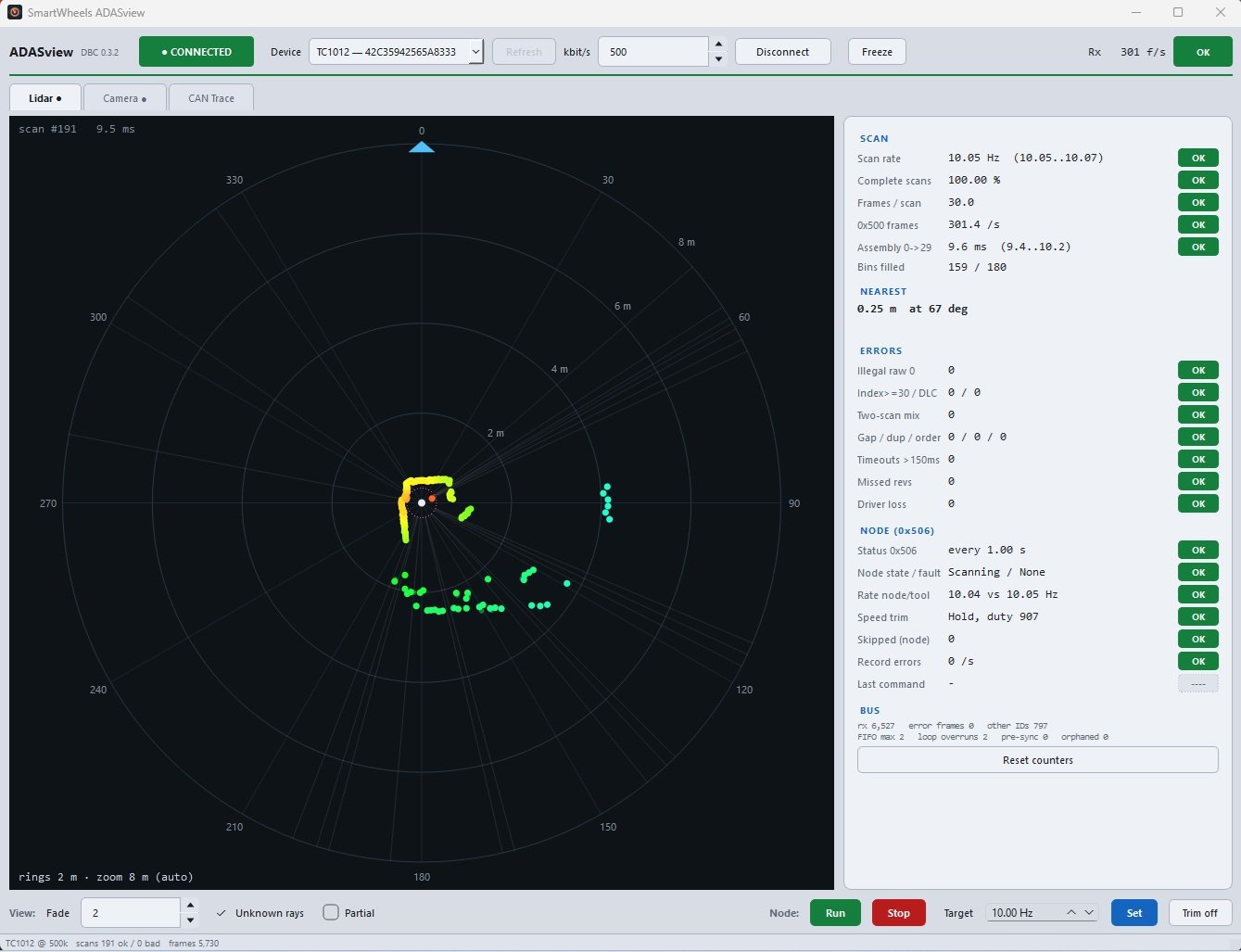
Every scan is drawn as it arrives, with range rings and the nearest object called out. Beside the map, ADASview checks the scan itself, so a clean picture really means clean data.
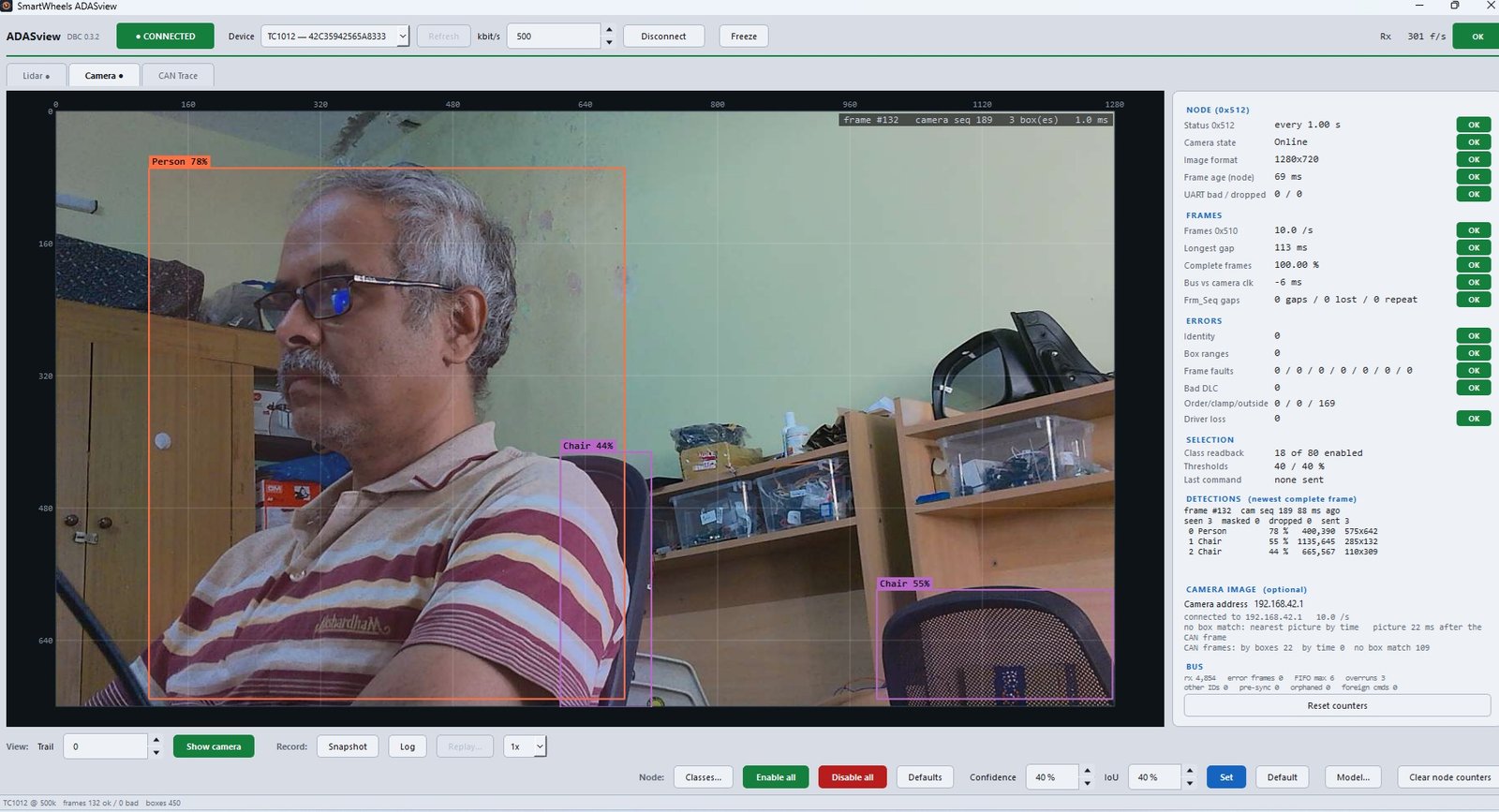
Detections from the camera are drawn on the picture with their label and confidence. The panel shows the camera's health, the frames received and each detection in the newest frame.
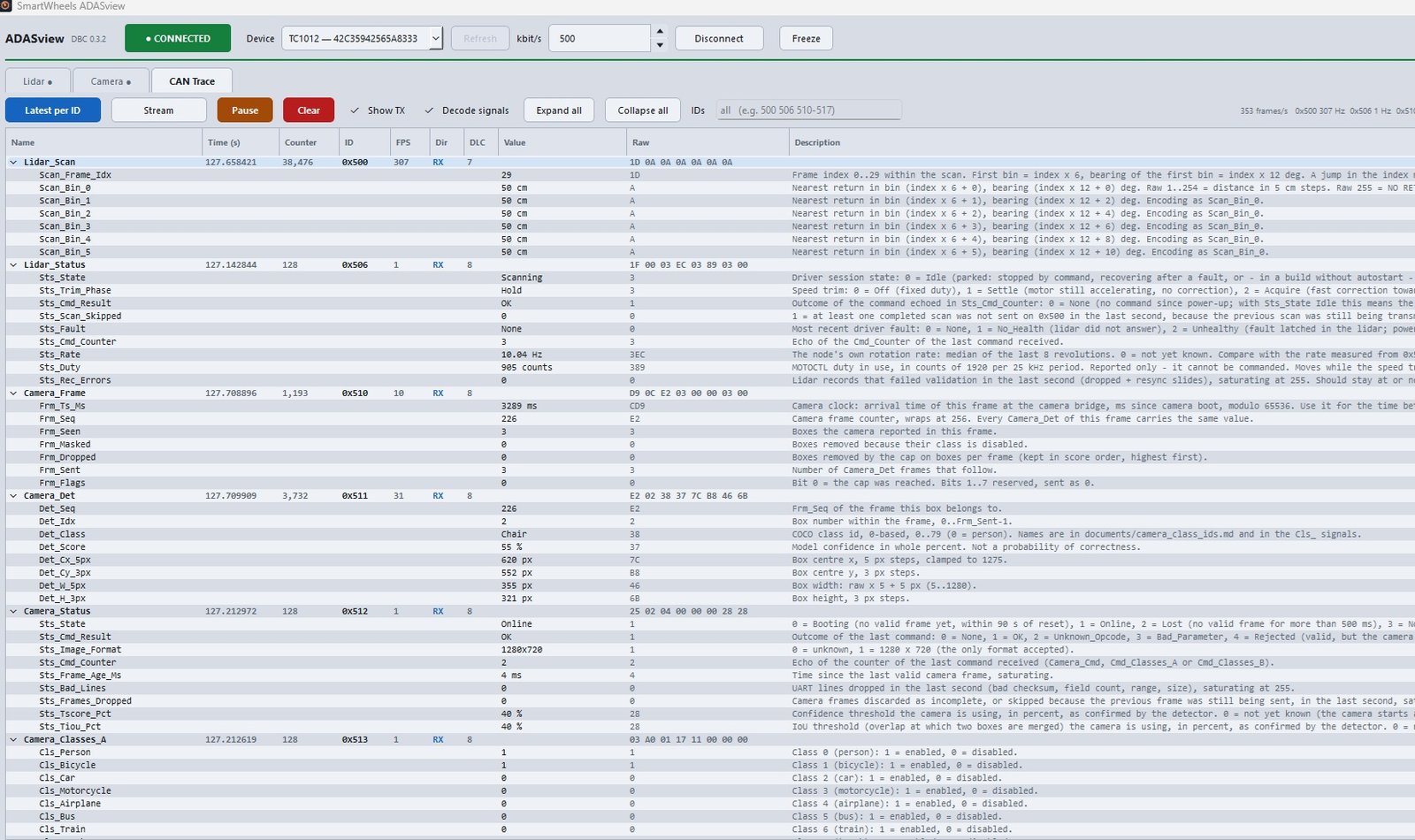
See each message on the bus with its signals already decoded from the kit's DBC file, along with a plain description of what each signal means. View the latest value per ID or the full stream.
Each sensor has its own automotive-grade controller and talks on the standard CAN bus. Anything that reads CAN can listen in.
The kit speaks plain CAN, so it joins the controllers and tools you already use. Nothing about it is tied to one brand of computer.
Feed your ADAS or autonomy computer the camera objects and 360° distances over CAN. Fuse them with its own sensors, or use them as an independent second view of the scene.
A VCU can read the sensors directly to slow down, stop or warn when something is close. Stale or missing readings are flagged, so lost data is never mistaken for a clear road.
Pass the sensor messages on to Ethernet or another CAN bus and filter what each network needs. The sensors keep their own bus, so the rest of the vehicle stays untouched.
Data loggers, telematics units, displays, test benches and simulators that read CAN can all listen in at no cost to the sensors.
The DBC file describes every message, signal, scale and unit. Import it into your CAN tools or code generator and decoding is done, with no reverse engineering.
Start / stop, target speed, object selection and sensitivity are ordinary CAN messages, each acknowledged. Send them from your controller or leave them to ADASview.
Connect the kit at 500 kbit/s.
Into your controller, gateway or CAN tool.
ADASview can run alongside on the same bus to check everything arrives clean.
The SmartWheels ADAS Kit is built so your team can use the sensor data from day one, and trust it.
Each sensor talks over the common automotive bus at 500 kbit/s, so the kit connects to a vehicle controller, a gateway or a PC with no special hardware.
Every message is described in a standard database (DBC) file, so your team can use the data straight away.
Each sensor has its own automotive-grade controller. Add or swap a sensor without disturbing the others.
Health checks, logs and replay come with the kit. If anything is lost, late or wrong, ADASview tells you.
From the first ADAS lab to vehicle prototypes: real sensors, real CAN data, and a tool that shows when the data can be trusted.
| Smart Camera | |
| Detection | Everyday objects in real time: people, cars, bikes, buses and dozens more |
| Per-object output | Object type, confidence and position in the picture |
| Image format | 1280 × 720 |
| Configurable over CAN | Object classes on / off, confidence and IoU thresholds, detection model |
| 360° Laser Scanner | |
| Coverage | Full 360° |
| Scan rate | About 10 scans per second |
| Range | Up to 10 m |
| Control | Run / stop and target scan rate from the PC or over CAN |
| Network & Software | |
| Interface | CAN, 500 kbit/s |
| Message description | Standard DBC file covering every message, signal, scale and unit |
| PC tool | SmartWheels ADASview: lidar map, camera view, CAN trace, health checks, record and replay |
| Radar | Coming soon, on the same CAN network |
Camera objects and 360° distances on one standard CAN network, with a tool that proves the data is clean. Radar joins next.